SkipCohenUniversity
  • Home
  • SCU Blog
  • Our Podcasts
  • About Us

Welcome to the ProShow Annex

by Skip Cohen

Welcome to the ProShow Annex, an extension of the Photodex blog. We're going to be sharing some incredibly diverse posts with solid how-to information to help you raise the bar on your presentations.  We want to help you think through new ideas and ways to separate yourself from the competition.  

Click on any slide on the left to read that specific post on the Photodex blog.

Visit Photodex.com

Making Memorable Halloween Slide Shows

10/20/2016

0 Comments

 
Picture
First Byte:  First Bytes are 1-2 minute summaries and suggestions that tie directly to a specific blog post. I'm hoping they're helpful in expanding the topic of the post itself.
Intro by Skip Cohen

One of the things I love about Photodex is their philosophy on education. They don't just sell you a product and walk away. They're always there with the support you need to create high-impact presentations and develop a stronger skill set as a storyteller.

I found this post about Halloween slide shows in the Photodex blog archives. It was written by Amanda last year, and with Halloween right around the corner it's the perfect post for Photodex Friday. However, there's a much more important reason to share this post.

We're in the fourth quarter, typically the strongest period of seasonality for photography. You've got all the fourth quarter holidays to draw from and an opportunity to demonstrate your skills as an artist and a film producer. Okay, so "film producer" might be stretching it a little, but if you think about all the tools you have at your finger tips today in terms of capture, and then bring in the stunning impact hybrid technology brings to the party, in the eyes of your clients you can be a film producer!

Check out Photodex's new ProShow 8 with a click on the banner at the end of the post. Then, wander over to the Photodex blog and you'll find hundreds of posts, each designed to help you raise the bar on your presentations and build stronger brand awareness.

Picture
by Amanda
​
Halloween is one of my favorite holidays and such a fun time of year. With all the effort that goes into costumes and decorations, making sure you capture great photos of all the festivities is key! Below are some helpful tips for taking great Halloween photos and how to put them together in a fun and memorable video slideshow that you can share with friends and family. Happy Halloween!

1. Taking Great Halloween Photos
Picture
Since most Halloween activities happen at night, you’re faced with a lot of low-light situations. With a few tweaks to your set up, you can get great photos in any low light setting. Check out the links below for some really helpful tips for capturing great Halloween photos. And don’t forget the video button! A few short videos of the kids trick-or-treating will be a perfect addition to your Halloween slideshows.
​
  • Simple Tips for Better Halloween Photos
  • Get Better Photos in Low Light
  • How to Take Spooky Halloween Photos
  • 5 Tips for Taking Better Halloween Photos

2. Halloween Slideshow Music
Picture
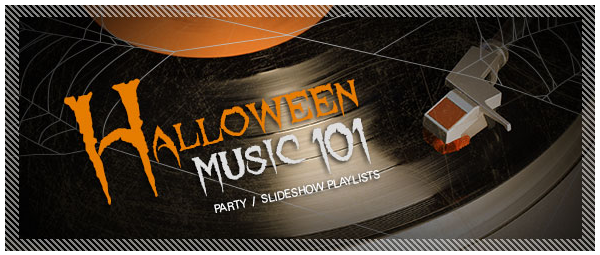
As a slideshow creator, you know your soundtrack can make or break your entire production! Make sure you pick a song that’s perfect for the mood you’re trying to create. Check out our round-up of Halloween songs for slideshows. There’s something for everyone including our top picks and great royalty-free options.
​
3. Halloween Slideshow Effects
Picture
Halloween is one of those times where I think it’s OK to go a little over board on special effects. A few flying bats and spider web transitions add a ton of fun to your slideshows. Be sure and download all of our free Halloween and Fall slideshow effects for ProShow.
  • Free Halloween Transitions for ProShow: Includes a flying bat transition, spider web transition and a scary jack-o-lantern transition. Perfect for your trick-or-treating photos!
  • Free Halloween and Rustic Autumn Slide Styles for ProShow: This set of slide styles offers several framed border slide styles complete with cobwebs and flying ghosts. You’ll also love the Rustic Autumn slide styles that are perfect for your pumpkin patch photos.

4. Outputting Your Halloween Slideshow
Picture
Once you’re done creating your show, you’ll need to decide how you want to share it with your friends, family and co-workers ProShow slideshow software outputs to pretty much any format you can think of, so burning a DVD, posting on Facebook or Youtube, uploading to your iPad or iPhone is all easy and totally do-able.
​
Got the right tool to build your slideshow?Planning to make your Halloween slideshow? With ProShow, it literally takes just minutes to make a beautiful video slideshow using the automated wizard and instant effects.
Picture
Click on the banner to find out all about ProShow 8
0 Comments

Your comment will be posted after it is approved.


Leave a Reply.

    RSS Feed

    Archives

    November 2017
    October 2017
    September 2017
    August 2017
    July 2017
    June 2017
    May 2017
    April 2017
    March 2017
    February 2017
    January 2017
    December 2016
    November 2016
    October 2016
    September 2016
    August 2016
    July 2016
    June 2016
    May 2016
    April 2016
    March 2016
    February 2016
    January 2016
    December 2015
    October 2015
    September 2015
    August 2015
    July 2015
    June 2015
    May 2015

Categories​

Business
Marketing
Technique
Sales
Fast Food Fridays
​

Podcasts

Tamron Recipes 
Beyond Technique
Why?
Mind Your Own Business
Pro Photographer Journey

 Partners

Tamron
Photofocus

​Lumix

Marathon Press
​Platypod
©  2019 Skip Cohen University
  • Home
  • SCU Blog
  • Our Podcasts
  • About Us